

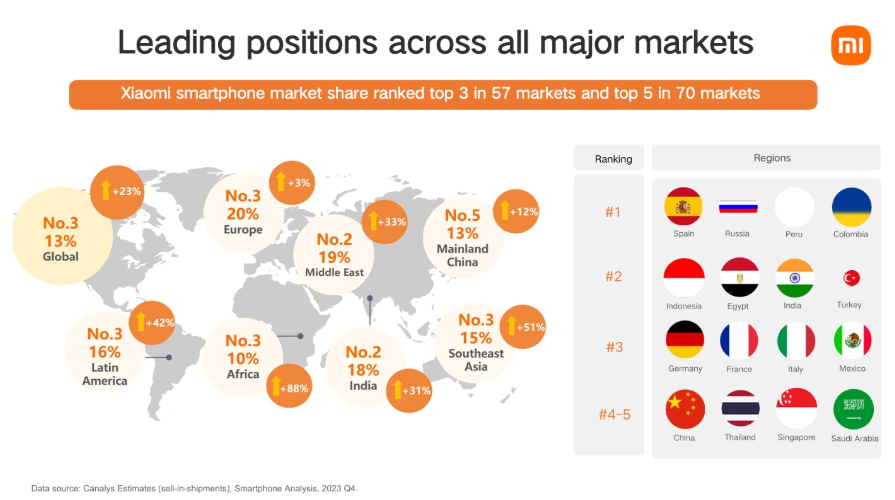
Xiaomi Ads is Xiaomi’s own OEM platform designed for advertising on the brand’s mobile devices. The company leverages the extensive MIUI ecosystem to deliver ads. According to 2023 data, Xiaomi smartphones rank in the top 3 in 57 countries, meaning affiliates should definitely consider the opportunities Xiaomi Ads offers. This overview will help you understand the specifics of working with this traffic source.
Advertisers get access to flexible placement options, advanced targeting settings, and detailed campaign performance analytics. In this RentAcc review, we’ll explain how to create an ad account, what ad formats are available, and how they appear on users’ devices. We’ll also provide a step-by-step guide on launching your first campaign.
What Is Xiaomi Ads?
Xiaomi began actively integrating ads into the MIUI firmware in 2018 to offset the low margins from smartphone sales. Around the same time, the official Xiaomi Ads platform started to develop. It enables brands to run ads within system applications and promote their products to Xiaomi’s user base.
Key Advantages of the Platform
- Relatively low traffic costs compared to other networks.
- Open auction model — low competition, as not many advertisers run iGaming offers on Xiaomi Ads.
- Long app lifecycle — apps on GetApps remain stable for several months up to a year.
Technical Features
- It is essential to carefully review the policy, as iGaming is subject to certain restrictions.
- Optimization type: CPI.
Verticals That Perform Well on the Platform
- Apps
- E-commerce
- Wellness
- Gambling / WhiteHat
- Gambling / Unlicensed — possible to launch, but with restrictions
- Betting / WhiteHat
- Gaming
- Dating / Mainstream
- Software
- Utilities
- Travel
Benchmarks
Overall, Western and Eastern European countries show strong performance.
CPI Benchmarks
Top GEOs:
- PL – $0.47
- DE – $0.45
- PT – $0.44
- IT – $0.32
Mid-tier GEOs:
- KZ – $0.21
- HU – $0.39
- IE – $1.35
- SK – $0.58
Average Funnel Metrics:
- Install → Registration ≈ 50%
- Registration → Deposit ≈ 6%
How to Get Started with Xiaomi Ads
Before starting with Xiaomi Ads, it’s important to determine the right cooperation format based on your budget and expected traffic volume. In practice, the most convenient and stable launch option is working through agency accounts: they come with a higher trust level from the start, simplify moderation approval and reduce the risk of restrictions. This is especially relevant for small teams and solo affiliates who don’t have the resources to deal with unnecessary issues.
You can use agency accounts from the RentAcc platform to:
- get access to an ad account as quickly as possible;
- test the traffic source without the risk of account suspension;
- start with a small budget and scale when needed.
To begin working with a Xiaomi Ads agency account, activate the RentAcc Telegram bot and specify that you’re interested in this particular source. Complete the registration process yourself by following steps 1–3 below, then provide your account ID to the manager.
Registration Process
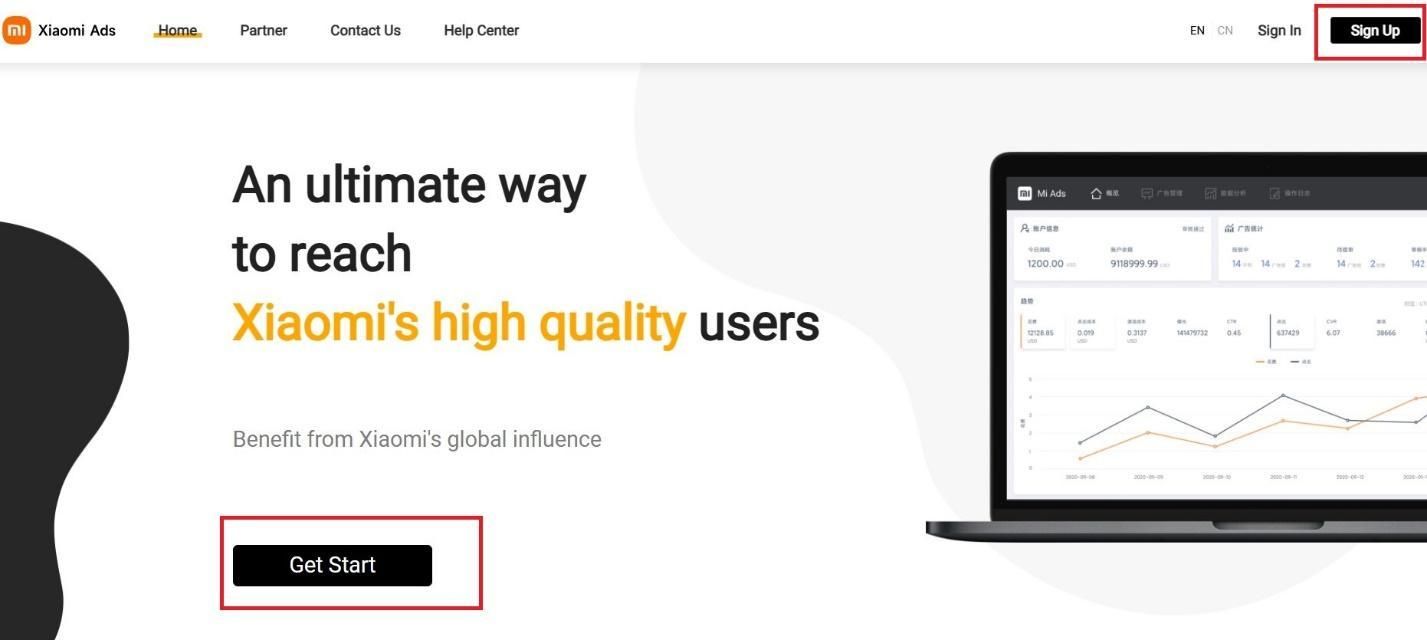
1. On the official website, click the Get Start button in the center of the screen or Sign Up in the upper-right corner.
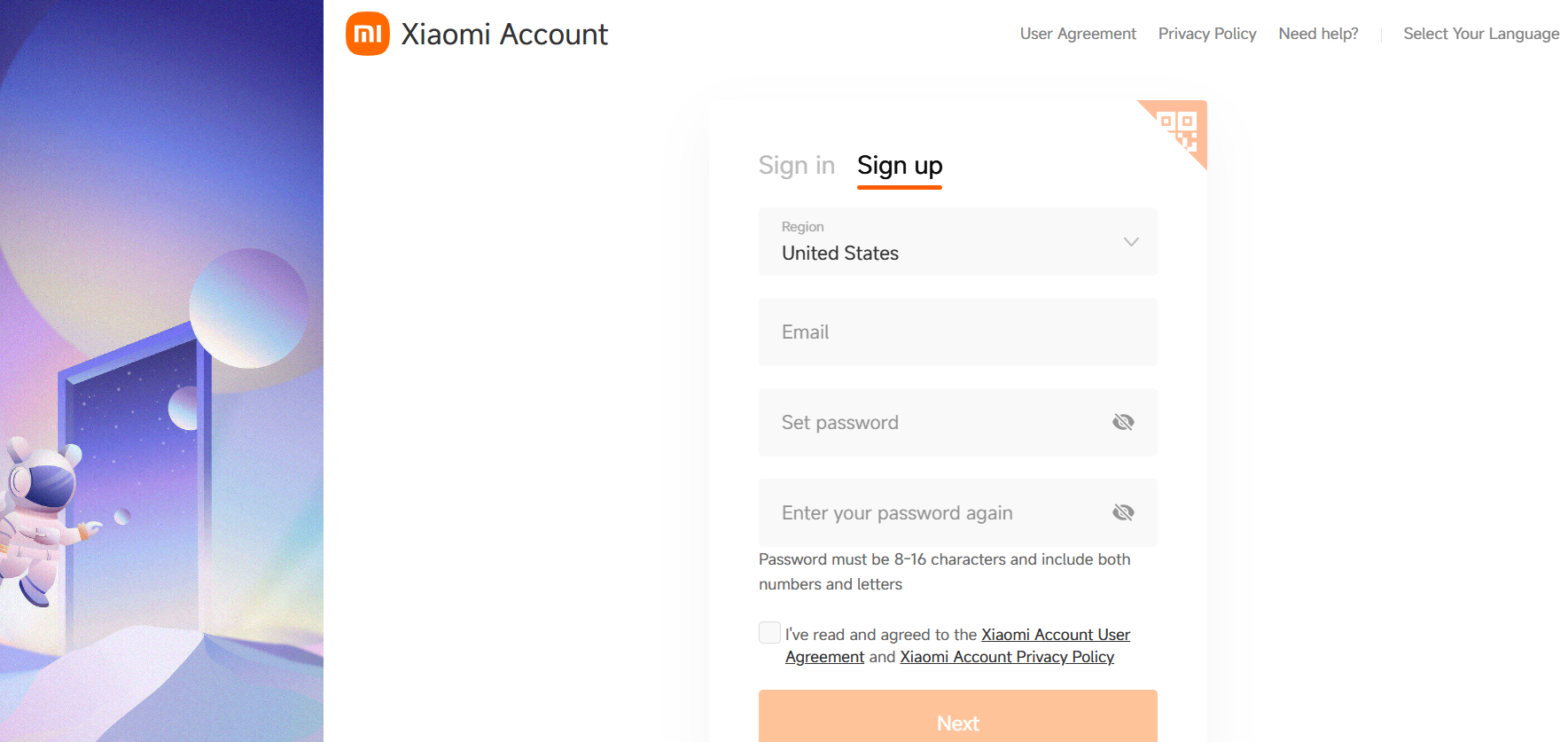
2. Select your region, enter your email address, create a password, and confirm your agreement with the platform’s terms.
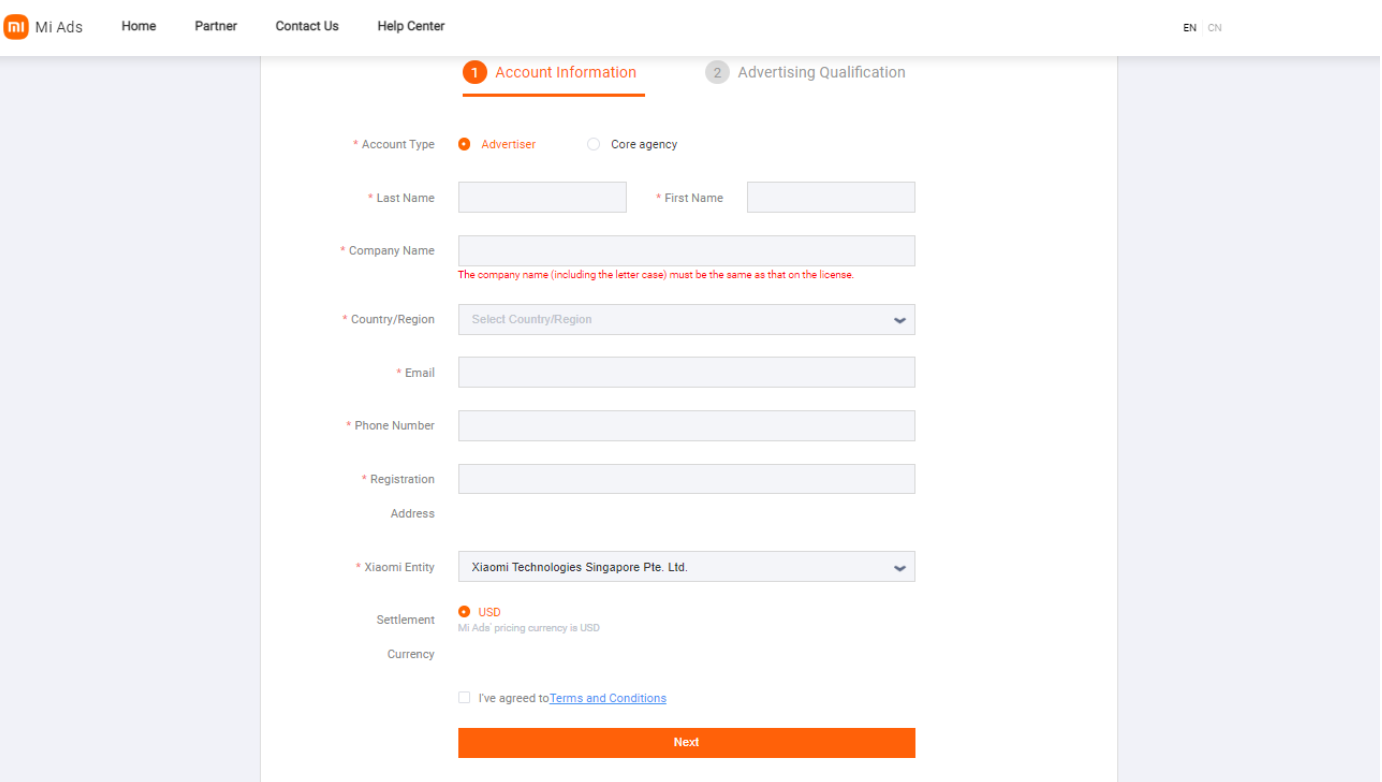
3. A verification code will be sent to your email. After entering the code, your Xiaomi Account will be activated. Then click on your ID and go to the Admin Center, where you’ll need to complete your profile information.
Account Setup Process
The manager will receive your account ID and complete all the necessary configurations. After that, the agency account will be shared with your profile and will appear in the Admin Center section.
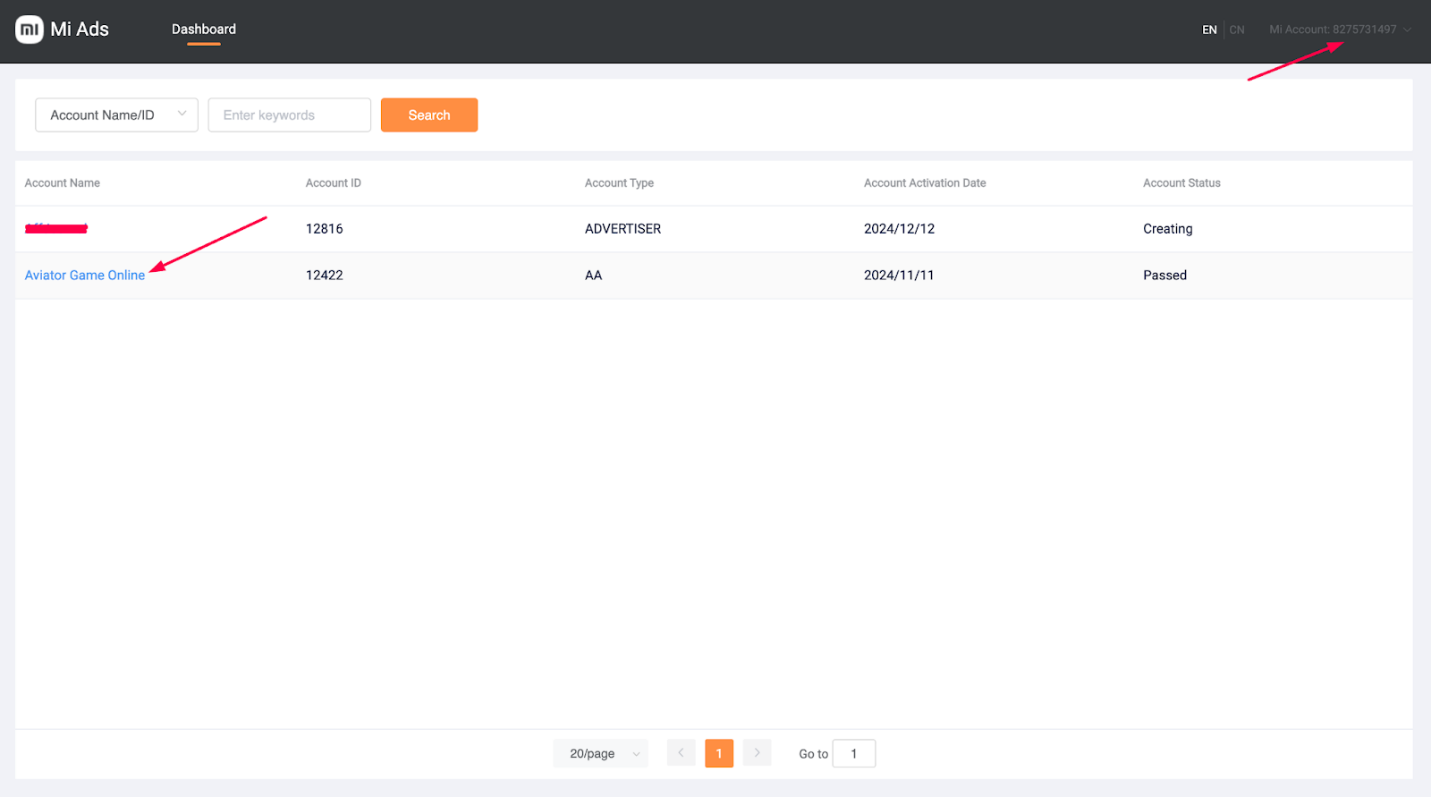
From this point on, you’ll be able to fully run Xiaomi Ads campaigns without dealing with technical complexities or lengthy approvals.
How to Launch Ads in Xiaomi Ads
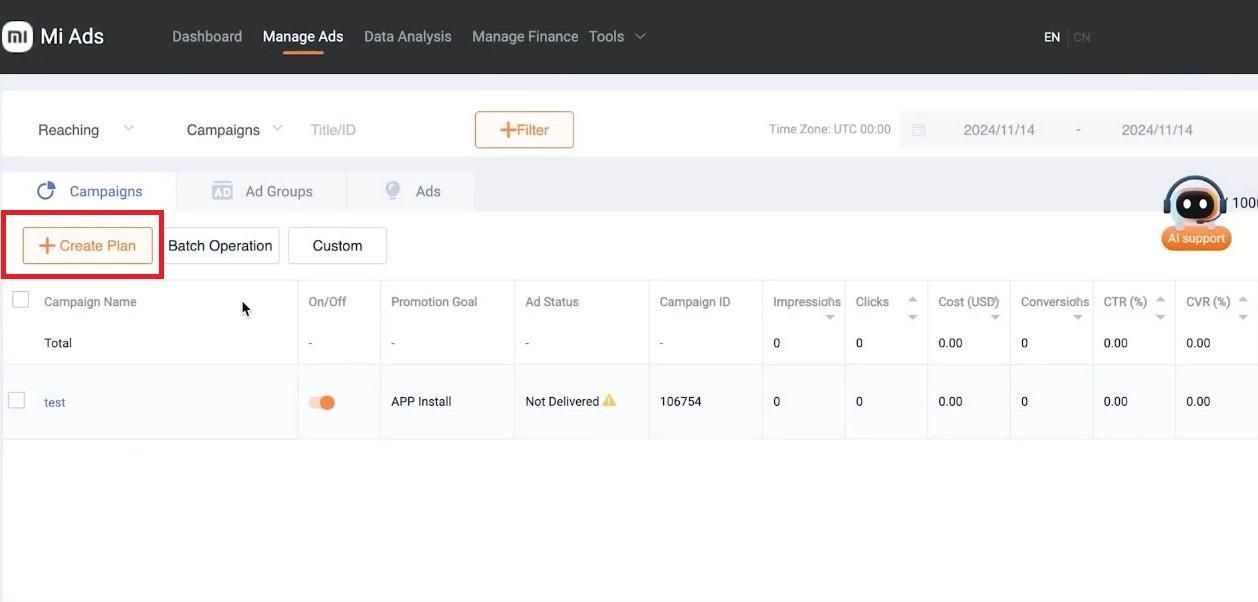
The process of launching an advertising campaign in Xiaomi Ads is quite straightforward and largely similar to other mobile ad networks. Go to the Manage Ads section and click the Create Plan button.
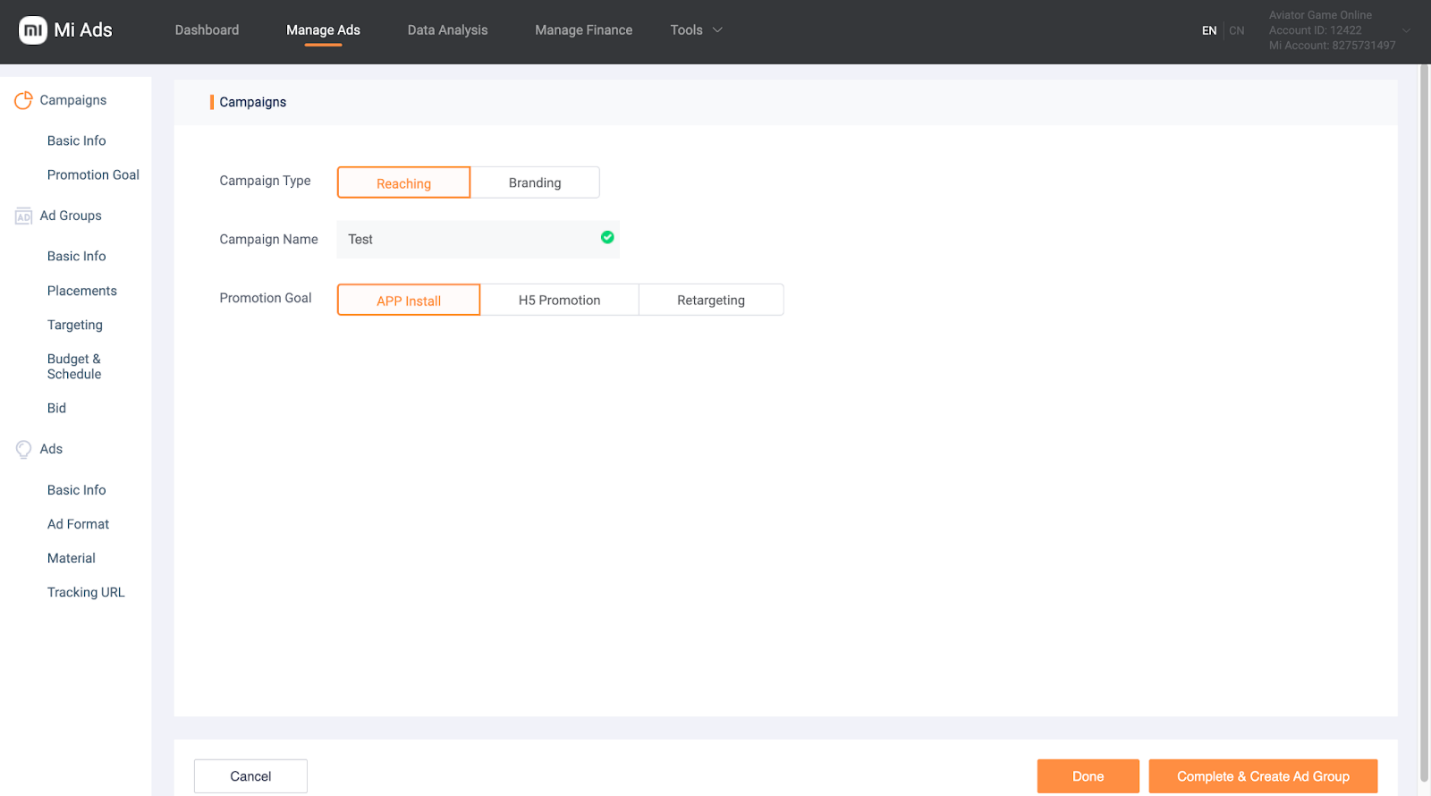
The first step is to choose the overall campaign type:
- Reaching — used to drive traffic and active installs;
- Branding — suitable for awareness and reach objectives.
Next, select the specific promotion goal:
- App Install — increasing the number of app installs;
- H5 Distribution — promoting websites and landing pages;
- Retargeting — targeting users who have previously shown interest in the product.
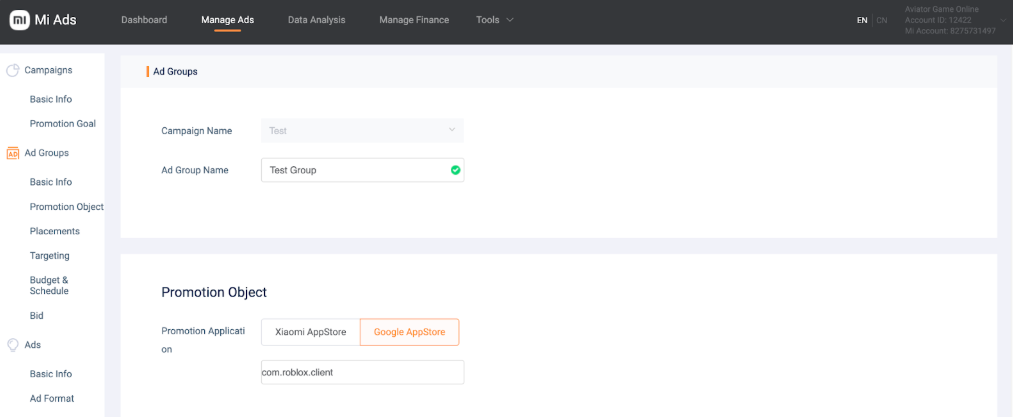
Since Xiaomi Ads is primarily a mobile advertising network, promoting Android apps offers the greatest potential. At the next stage, select the product to advertise — an app from Google Play or Xiaomi’s proprietary GetApps store.
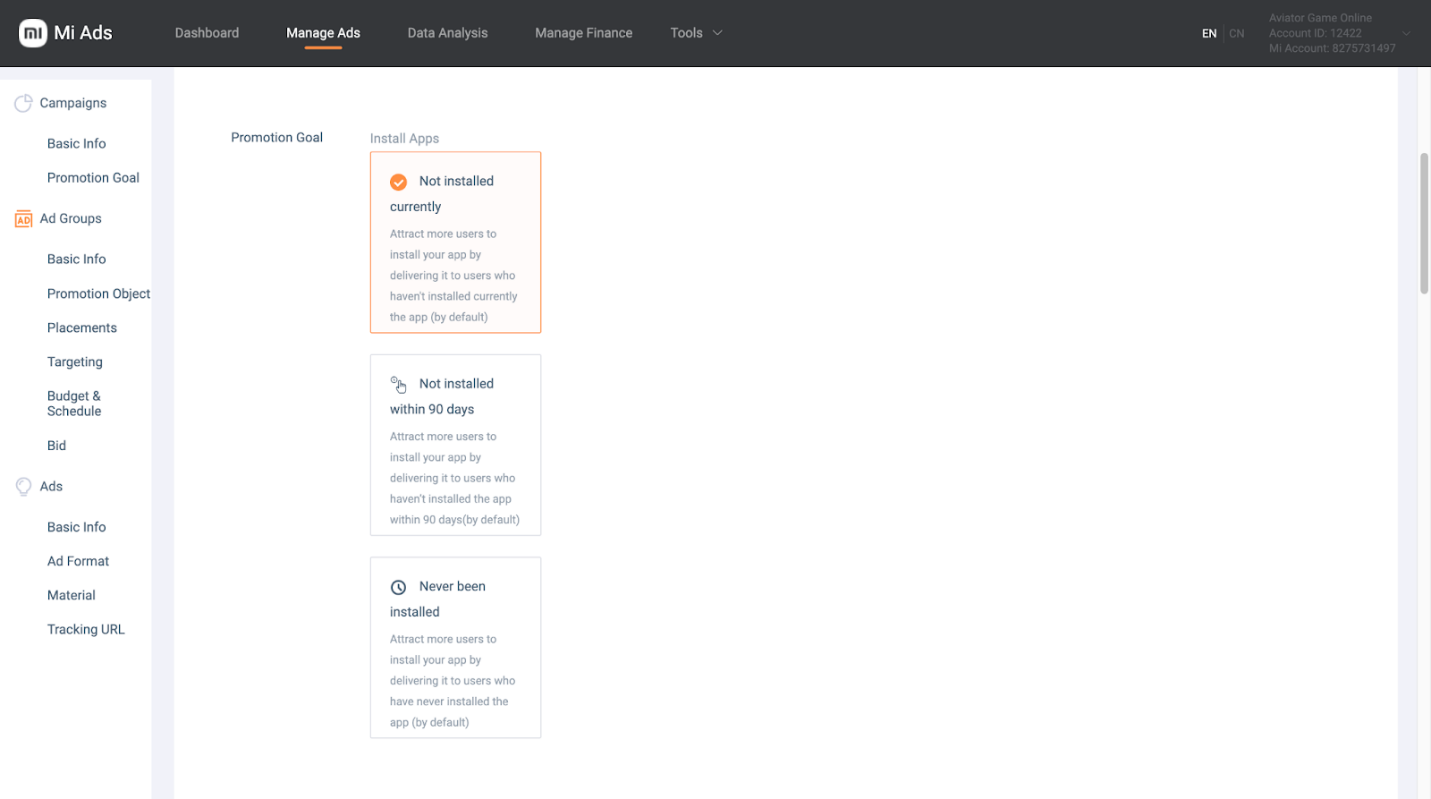
The Xiaomi Ads platform allows you to target users who have never installed the app, as well as those who are already familiar with it.
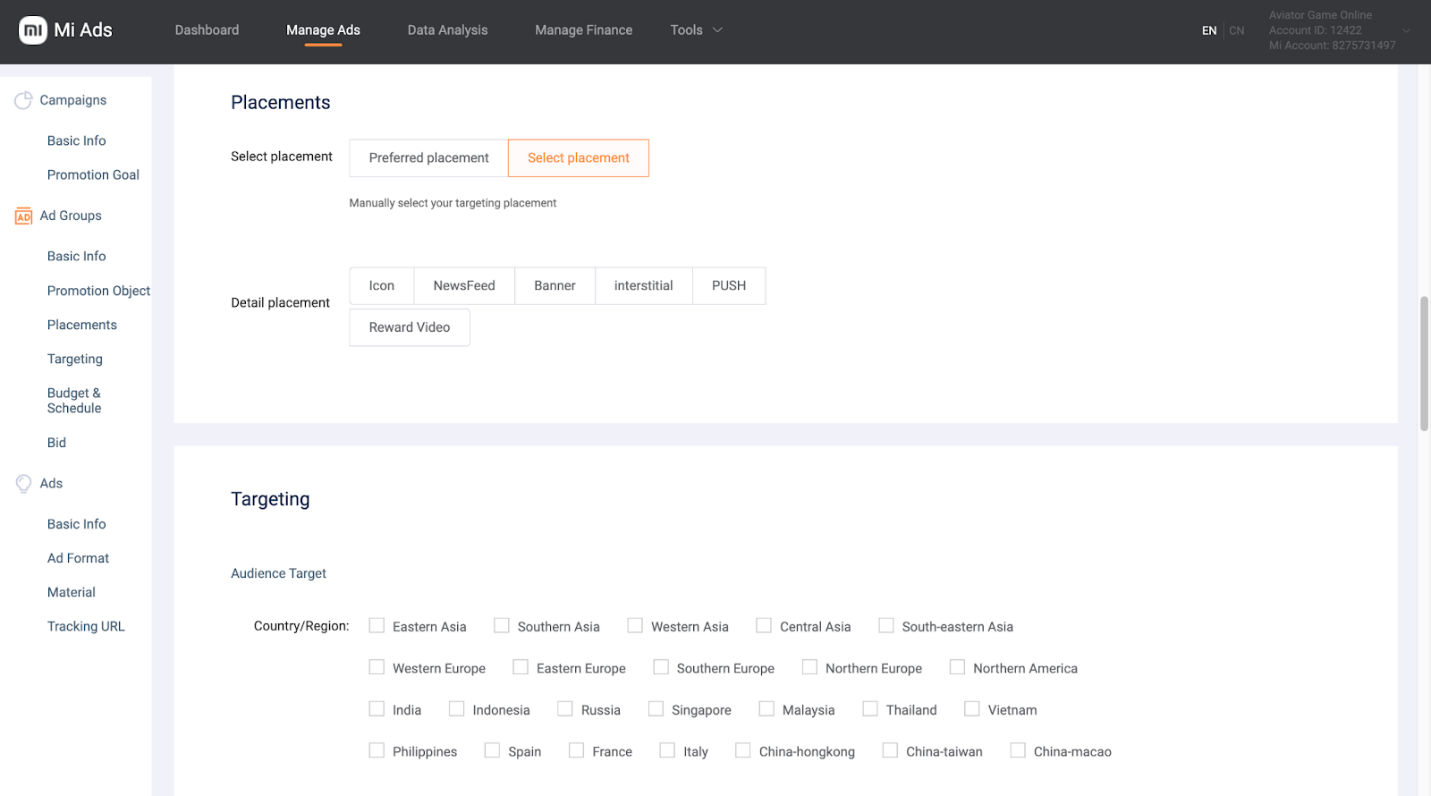
The next step is choosing ad placements. Two options are available: automatic placement selection (Preferred Placement) or manual selection (Custom Placement).
After that, configure standard targeting settings such as GEO and language, device model and Android version, mobile carrier, and exclude unwanted audiences.
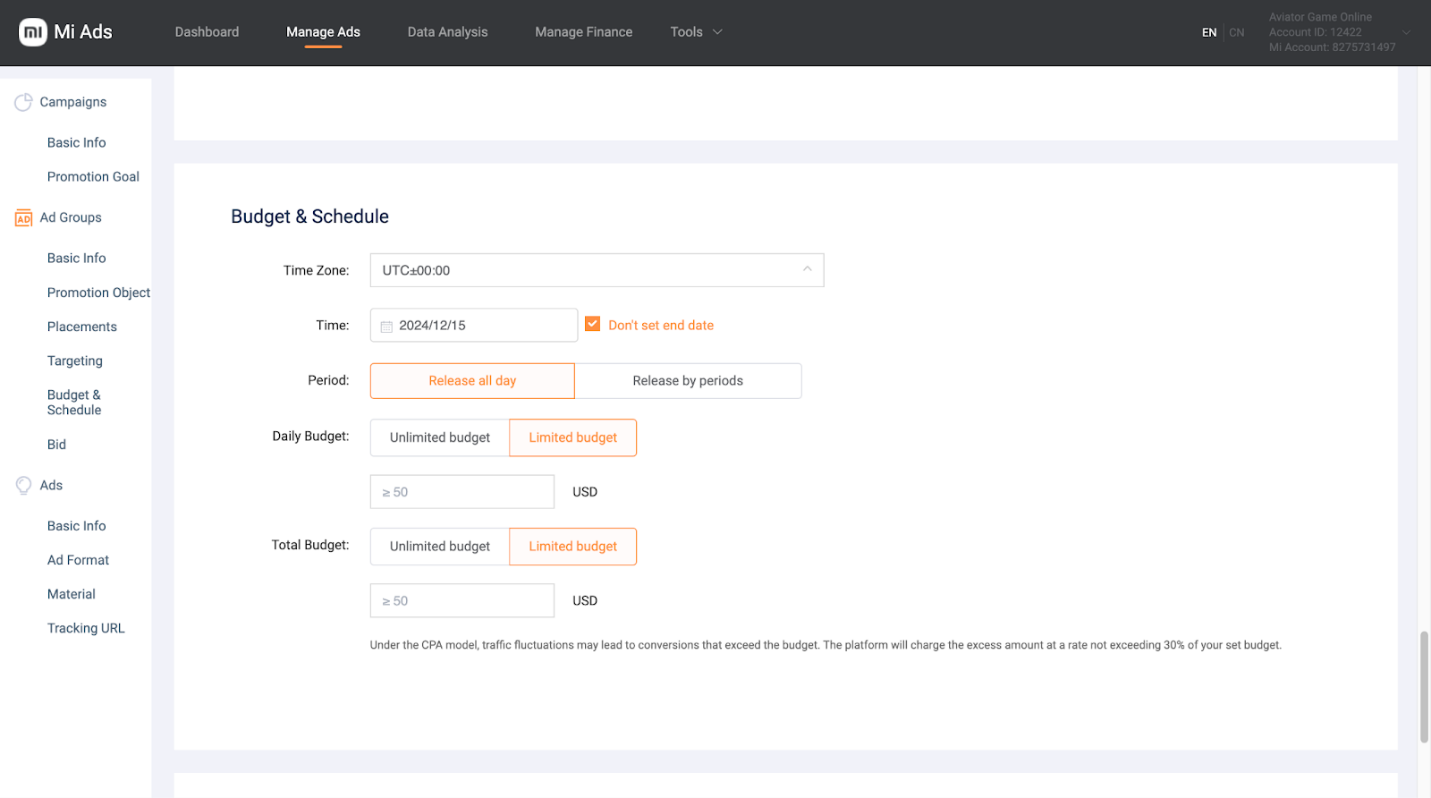
Then set the ad schedule and campaign financial parameters — daily or total budget, as well as the campaign duration.
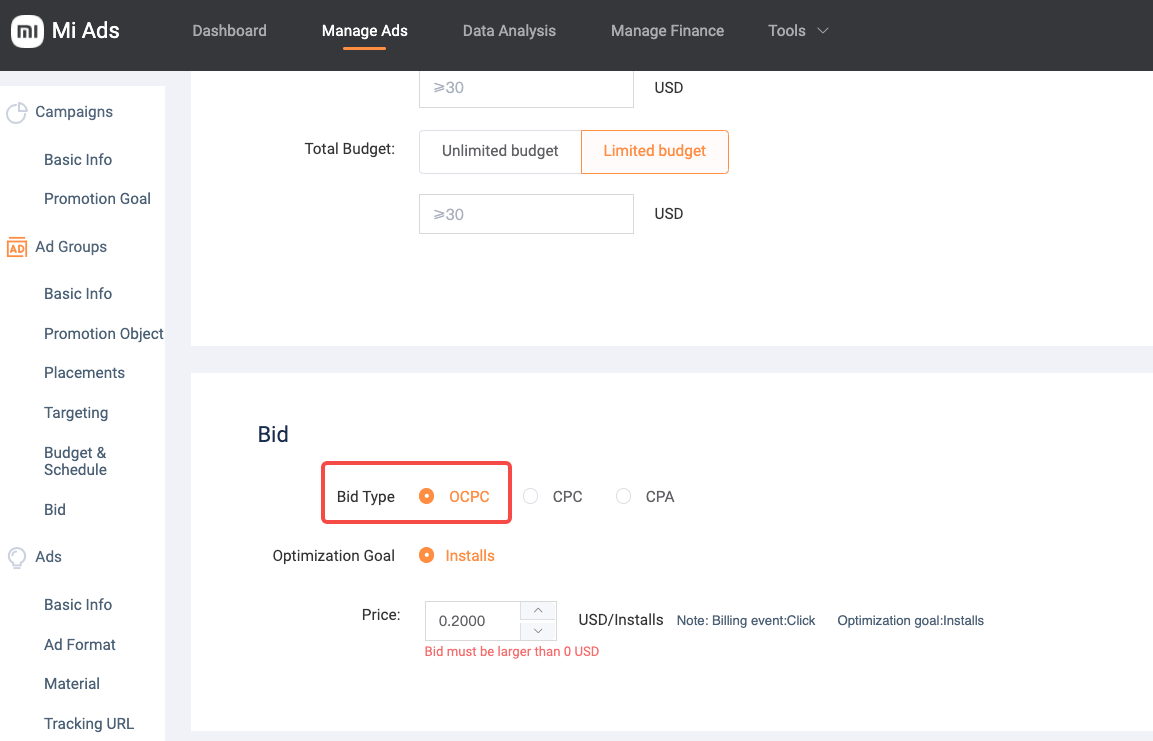
At the bidding stage, Xiaomi Ads offers three models:
- oCPC — the system automatically optimizes conversion costs;
- CPC — cost per click;
- CPA — cost per specific target action, such as an install or registration.
The bid is set in US dollars and directly affects traffic volume and speed of spending. According to the user guide, the recommended daily budget is $200 or more.
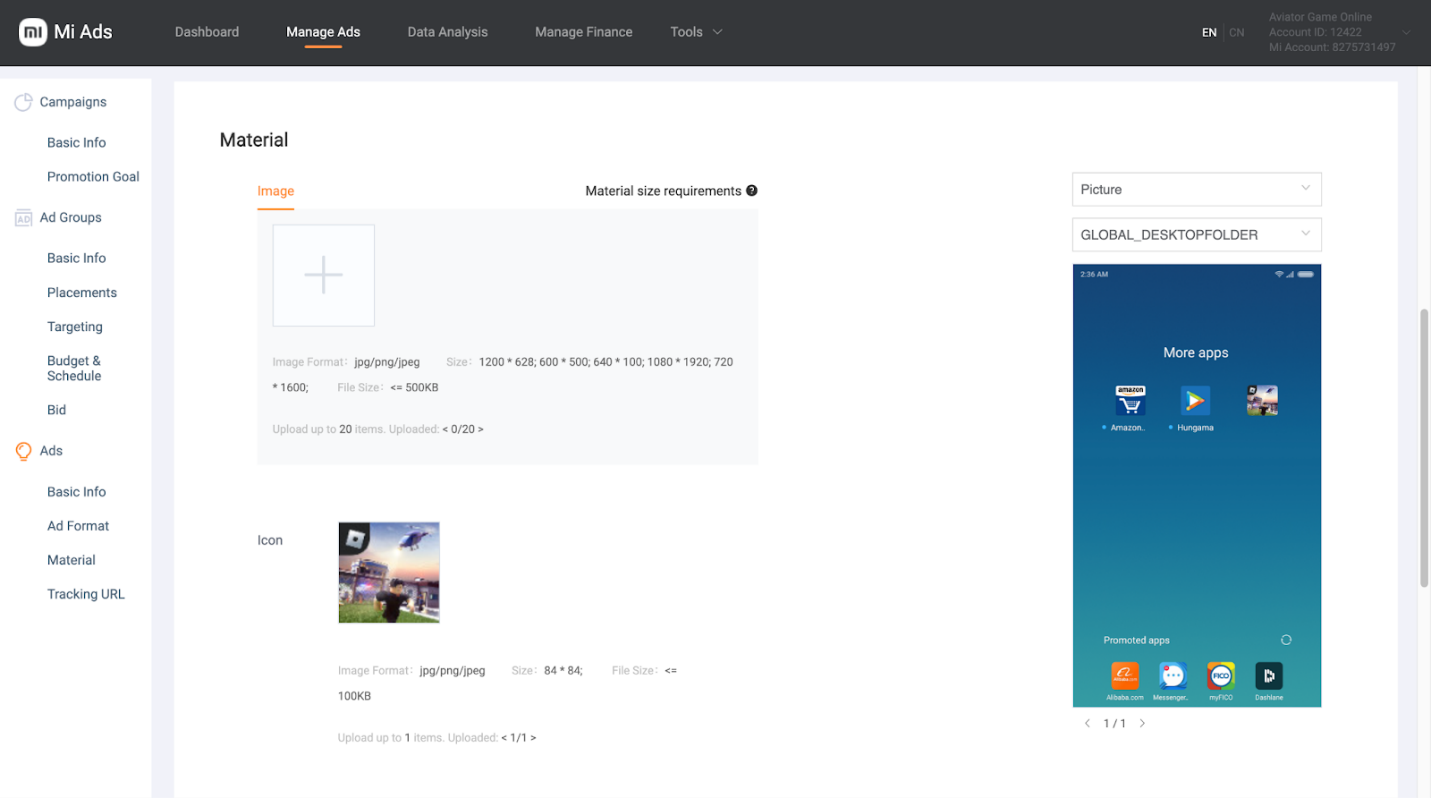
At the final stage, upload your ad creatives — all available formats are reviewed below with examples.
Then attach the landing page link and, if necessary, add a third-party tracker to monitor campaign performance. After reviewing all settings, submit the campaign for moderation. Once approved, ads will start delivering according to the selected parameters, and performance statistics — impressions, clicks, conversions, and spend — will become available on the main dashboard.
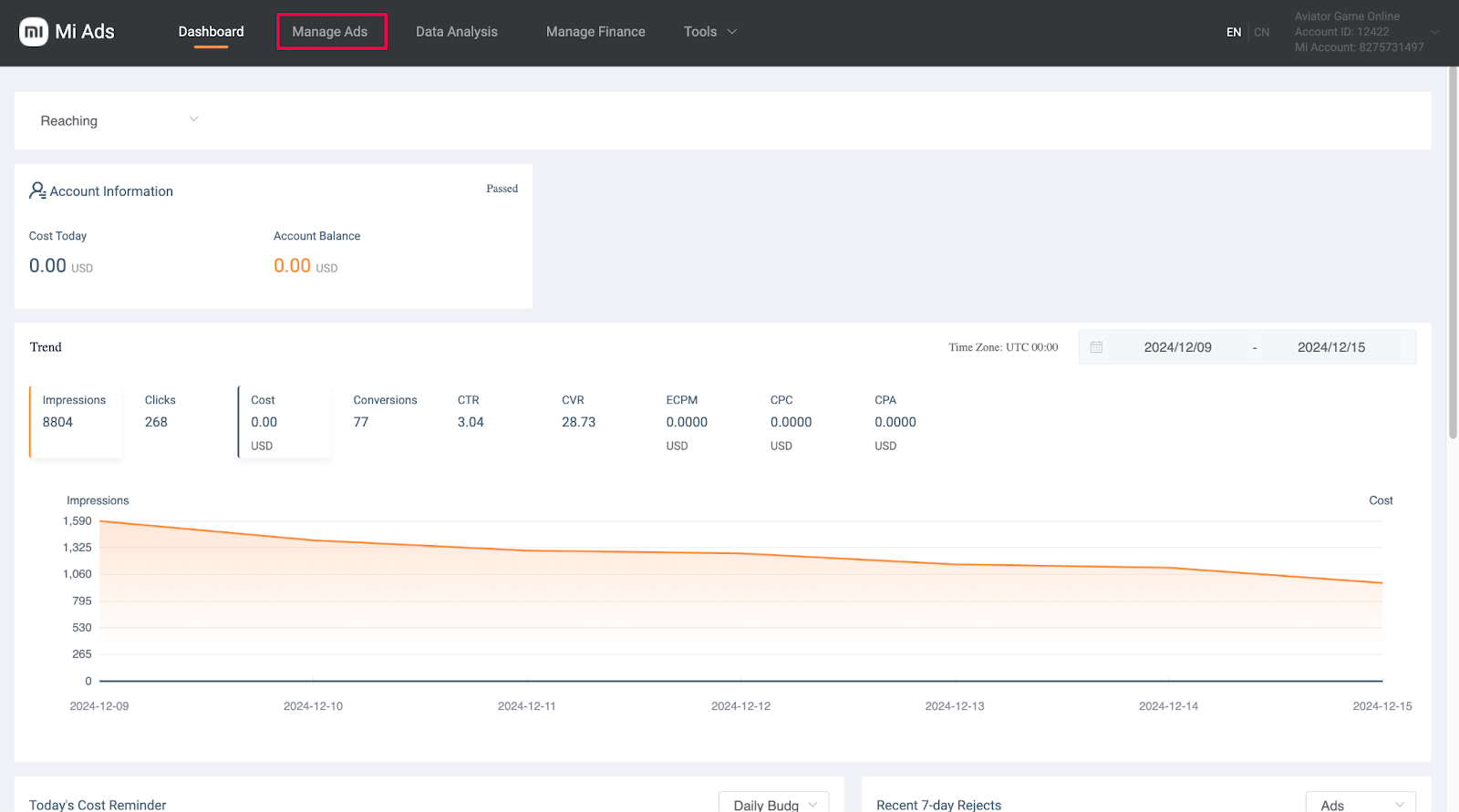
Due to mandatory manual review, launching a campaign in Xiaomi Ads typically takes around 24 hours. If an ad is rejected, the system will specify the reason.
Ad Formats in Xiaomi Ads
Users will see your ads inside pre-installed system applications and the smartphone interface. For example, ads may appear in services such as Mi Browser, Mi Music, Themes, Mi Video, Mi File Manager, Mi Cleaner, Mi Security Centre, and the GetApps app store.
The OEM platform offers a wide range of formats — from classic banners to native and full-screen video ads. Below, we’ll review the key ad formats and show how they appear on users’ devices.
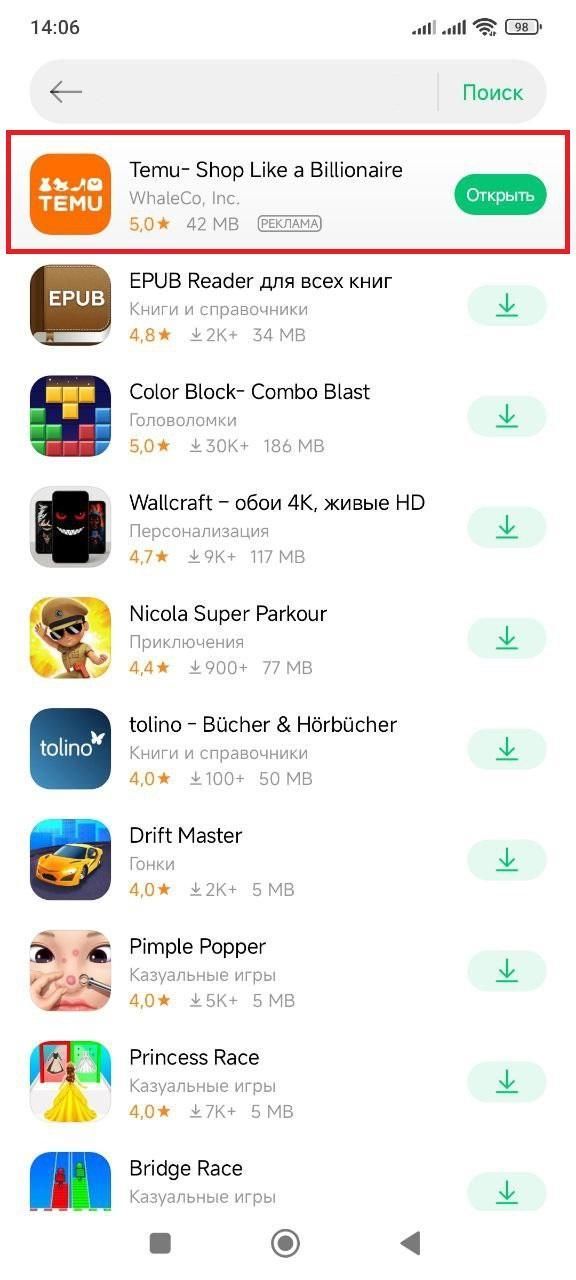
Icon
An icon labeled “Ad” is displayed in the GetApps application center. Typically, a square image of 84×84 px is used, so complex details and small text in the design are not recommended.
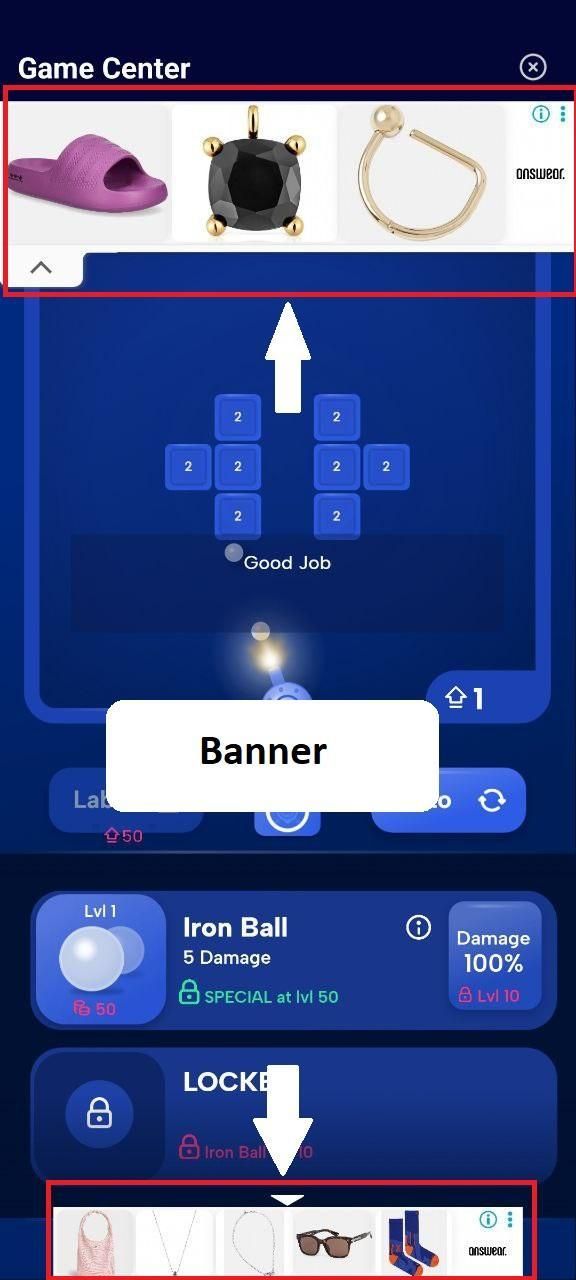
Banner
Classic banner ads placed within Xiaomi applications. The platform supports several standard banner sizes, allowing creatives to be adapted for different placements.
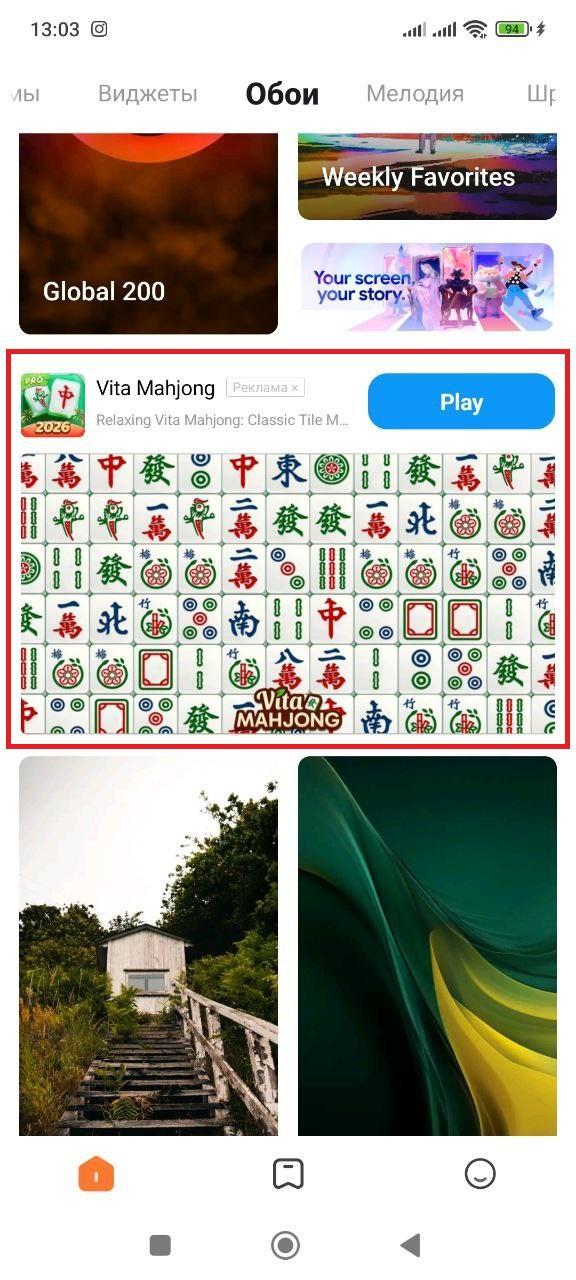
Large Newsfeed Image + Icon
The ad visually looks like a regular feed element and includes a large image, app icon, text description, and a call-to-action button. A horizontal image in 1200×628 px format is most commonly used.
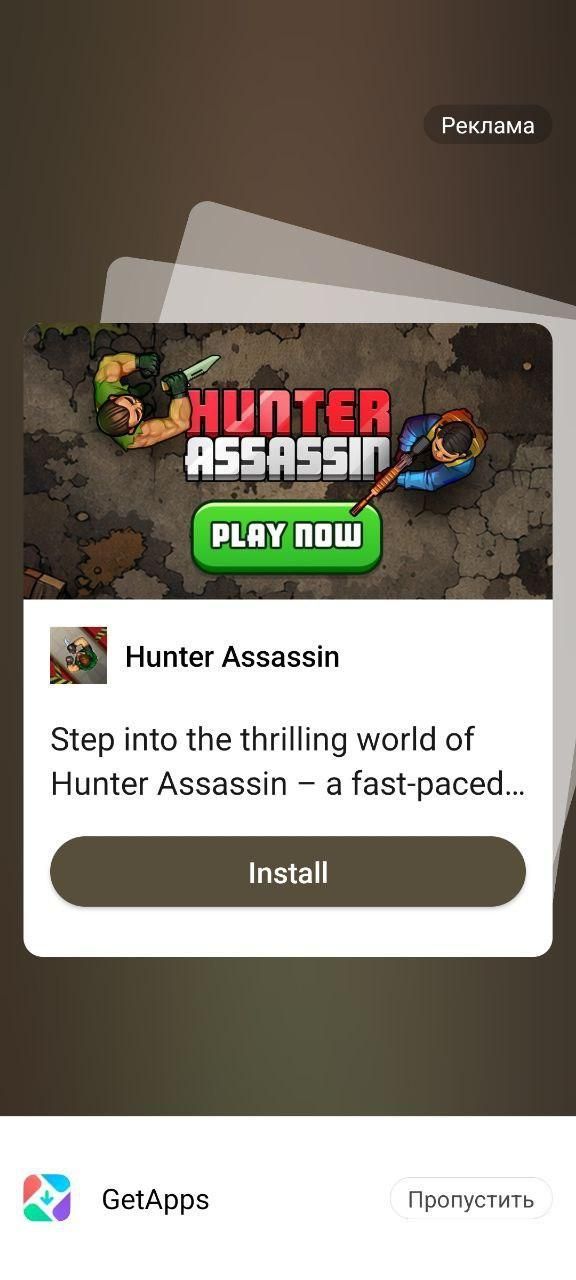
Interstitial Image + Icon
A full-screen ad format displayed over the app interface. Includes an image, app icon, and CTA button.
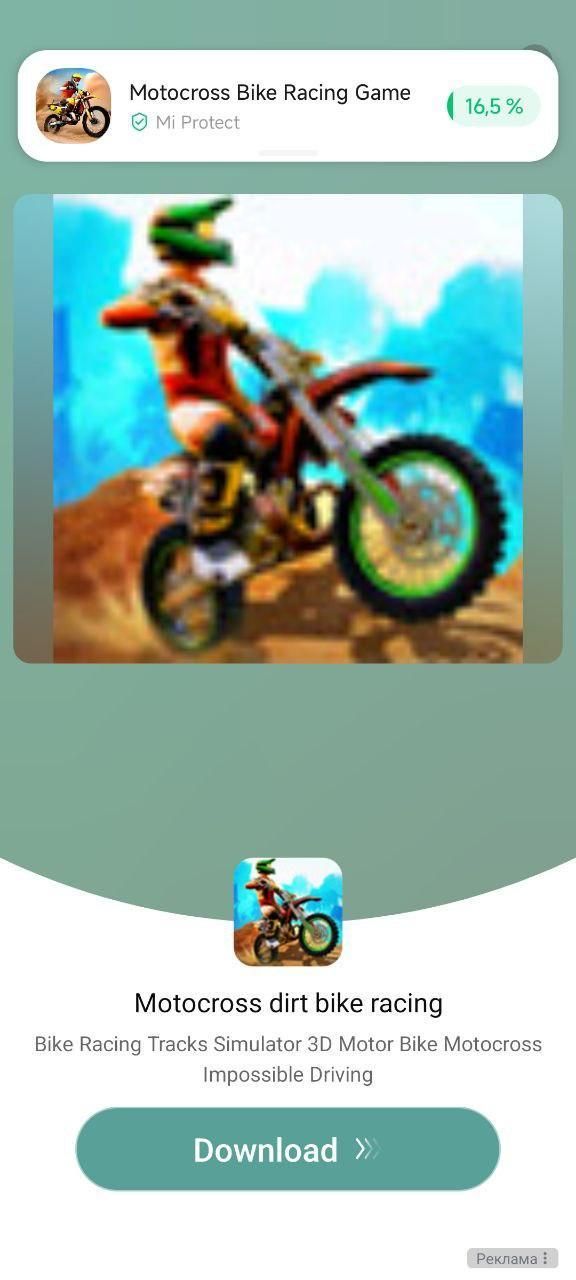
Interstitial Video + Icon
A full-screen video ad with an app icon and action button. Typically, short videos of up to 30 seconds are used to quickly communicate the offer’s value.
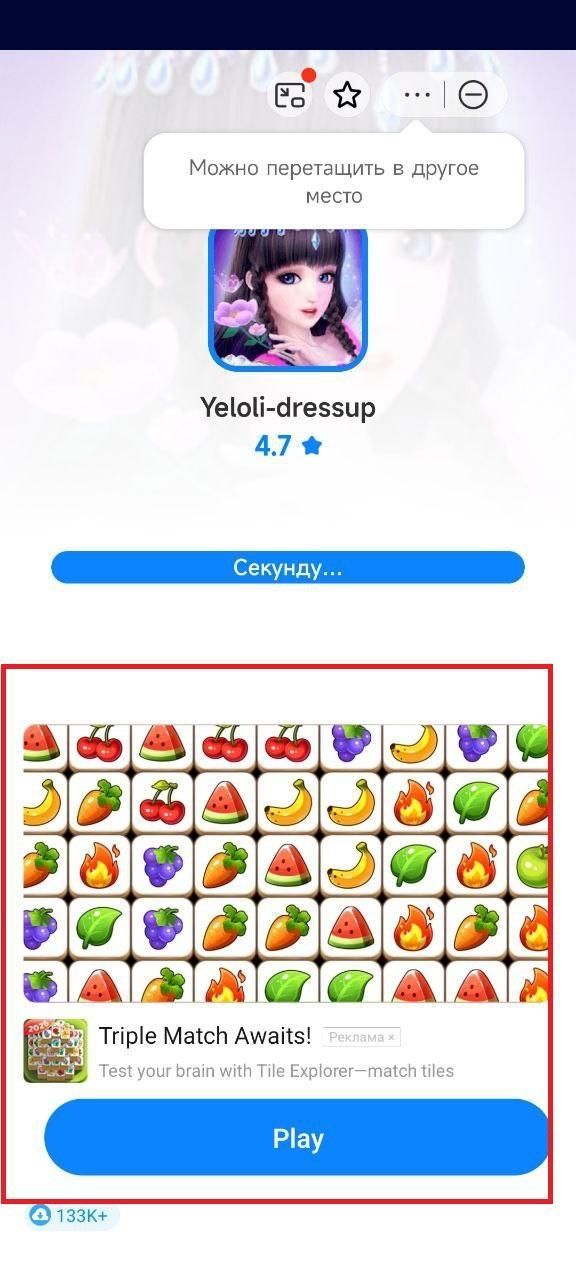
Newsfeed Video + Icon
A video integrated directly into the app feed, accompanied by an icon, text, and CTA.
For most placements, it is recommended to upload multiple image and video variations to ensure proper adaptation across different screen sizes. You can find more detailed ad format requirements in the official guidelines.
Conclusion
Be sure to test this traffic source, which provides access to more than 500 million active HyperOS users worldwide. Unlike many other ad networks, Xiaomi Ads is not yet overheated, offering lower CPM/CPC rates and the opportunity to test with a relatively small budget.
By following the instructions in this overview, you can easily get an agency account through the RentAcc advertising platform, set up your first campaign, test hypotheses, and build a stable workflow with Xiaomi Ads. Experienced RentAcc specialists will gladly assist you with connecting an agency account and support your campaigns at every stage of launch.
 Share this post